
Explora Connection Problems
The Explora's Catch Up, Showmax, BoxOffice and DSTV Now features all rely on a stable internet connection. When the Explora cannot reach the internet, those features go dark — even though normal satellite TV continues to work. We resolve every kind of Explora connection problem on the same visit.
What Usually Causes This Problem
Most cases trace back to one of the following root causes. Our technicians diagnose with a signal meter and the right diagnostic tools on every callout.
Weak Wi-Fi at the decoder
The Explora often lives in the lounge, well away from the router. Wi-Fi signal that is fine on your phone may be too weak at the decoder.
Wi-Fi connector not installed
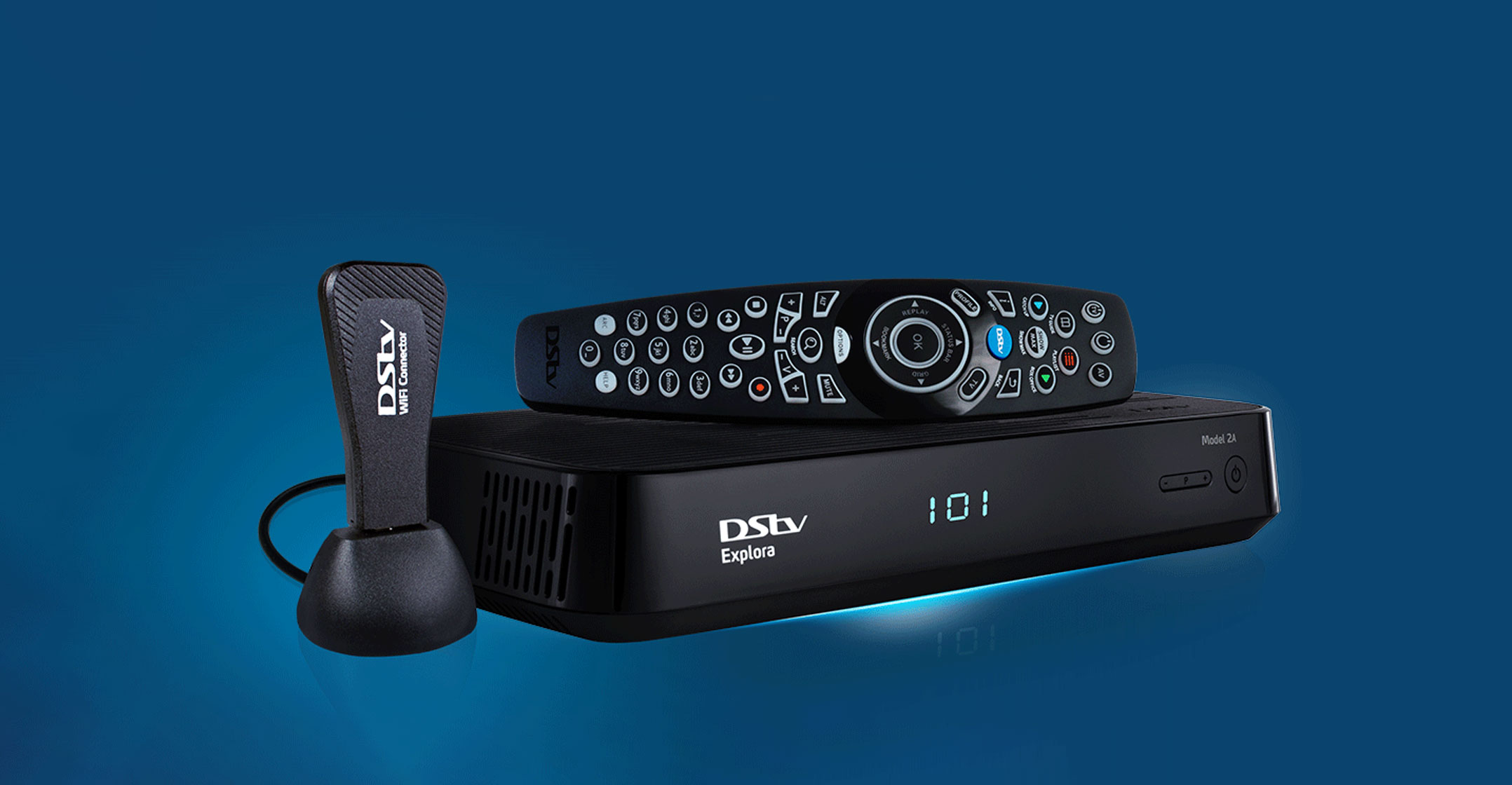
The Explora does not have built-in Wi-Fi. A DSTV Wi-Fi connector or Ethernet cable is required — we supply both.
Router channel congestion
Dense apartment blocks have crowded 2.4GHz Wi-Fi. We recommend 5GHz Wi-Fi connectors or wired Ethernet.
Wrong Wi-Fi password entered
Common but easily fixed during the install.
ISP outage
Sometimes the issue is not the Explora — it is your home internet. We verify by checking other devices.
Showmax not linked to MultiChoice account
Showmax integration requires linking to the MultiChoice account on showmax.com. We complete this live.
Which Explora connection is actually broken?
"My Explora won't connect" covers two completely separate things, and they have nothing to do with each other:
- The satellite connection — live TV. Broken means no channels at all, usually with a signal error on screen.
- The internet connection — Catch Up Plus, BoxOffice downloads, Showmax-era on-demand content and software updates. Broken means live TV works fine but on-demand content will not load.
Work out which one you have before troubleshooting, because the fixes share nothing. If live channels are missing, it is a signal problem. If live TV is fine but Catch Up will not download, it is the internet side.
Fixing the internet side
- Ethernet beats Wi-Fi, every time. If a cable can reach from your router to the Explora, use it. Most connection complaints we attend to are Wi-Fi range problems in a house where the router is two rooms and a brick wall away.
- Check the Wi-Fi connector. The DStv Wi-Fi Connector is a specific dongle. Generic USB Wi-Fi adapters do not work, and a loose or partly-seated connector behaves exactly like a network fault.
- Confirm the network details. Menu › Settings › Network. A changed router password after a fibre upgrade is a very common cause — the decoder keeps trying the old one silently.
- Restart in the right order. Router first, wait for it to come fully up, then the decoder at the wall.
- Watch the download queue. BoxOffice titles download in the background and can take a long time on a slow line. "Not working" is sometimes "still downloading".
When it is the hardware
Explora units with a failing internal drive often present first as on-demand and recording problems — downloads that never complete, recordings that stop early, a decoder that takes a long time to wake. If your Explora is several years old and doing that, the drive is the first thing worth testing.
If you are weighing repair against replacement, our Explora installation page covers what a fresh setup involves.
Common questions
The most common causes are Wi-Fi range between the router and the decoder, a loose or incorrect Wi-Fi connector, or a router password that changed after a fibre upgrade. A wired Ethernet connection from the router to the Explora resolves the majority of these.
No. Live satellite TV works without any internet connection. The internet connection is needed for Catch Up Plus, BoxOffice downloads, on-demand content and software updates.
No. The Explora requires the specific DStv Wi-Fi Connector. Generic USB Wi-Fi adapters are not supported and will not connect.
Usually a slow or unstable connection, or a failing internal drive on an older Explora. Try a wired connection first; if downloads still stall and recordings also misbehave, the drive is the likely cause.
Related pages
Related DSTV Solutions
See our FAQ page for 50+ answers, or contact us for a same-day quote.